

Overview
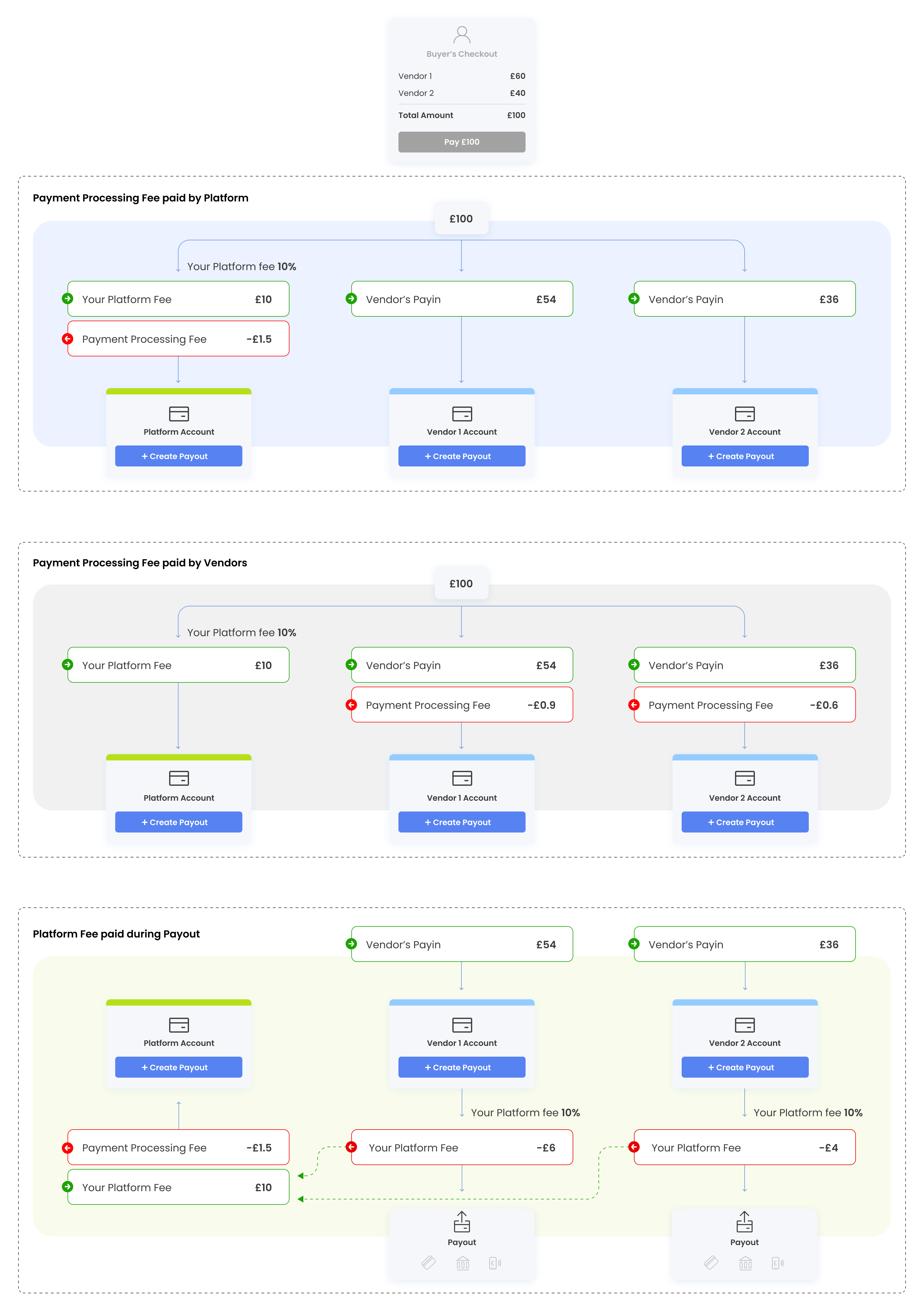
Accepted payments go into an account. You can withdraw or transfer funds from one account balance to another.
What you can do with an account
Section titled “What you can do with an account”- Split payment - Divide and send funds from your account to your vendors’ accounts.
- Real-time Balance - See in real-time the amount of funds you and your vendors have.
- Bank transfers - Send money to bank accounts (Using Payout Object).
Before You Begin
Section titled “Before You Begin”- The account Object collects and stores money from shoppers’ PayIn. Please make sure that you have already completed the Payin integration.
- Please make sure you have the identity of the entity you want to attach to the account.
- Make sure to implement account webhooks so you will get notified about your vendors activity
The Account Object
Section titled “The Account Object”Account Owner
Section titled “Account Owner”An account is always linked to an account owner: a platform or a platform’s vendor.
In the account object, vendorId will be defined when you’re dealing with your vendor’s accounts. Otherwise (when vendorId doesn’t exist), it’s your (platform) account.
Account Currency
Section titled “Account Currency”Account currency is one of the following: GBP, USD, EUR.
Account Balances
Section titled “Account Balances”In order to provide visibility into all of your (and your vendors) funds in real time, the account contains multiple balance types: pending, payable, and reserve.
Account properties
Section titled “Account properties”Parameter | Type | Description |
|---|---|---|
| String | Defined only for vendor’s accounts |
| String | Unique id of an account |
| Enum | Account currency: USD, EUR, GBP |
| Number | Funds that have been collected but have not yet been settled |
| Number | Available funds for immediate use |
| Number | Required balance to cover chargebacks, returns, and other fees |
The Account Transaction Object
Section titled “The Account Transaction Object”
| String | Unique id of an account transaction |
| String | Unique id of an account |
| Number | Funds that have been collected but have not yet been settled |
| Number | Available funds for immediate use |
| Number | Required balance to cover chargebacks, returns, and other fees |