

Payment Link (No Code)
UNIPaaS allows you to generate a branded payment link and send it to your customers via email or SMS. You can also track the status of each payment link from your merchant portal.
Payment link is suitable for merchants with limited resources who wish to start accepting payments without any technical efforts. The payment link fully supports Strong Customer Authentication (3DSecure 2). While using it you can rest assured you are compliant with all relevant regulations - including PCI compliance.
Step 1: Login to your UNIPaaS merchant portal
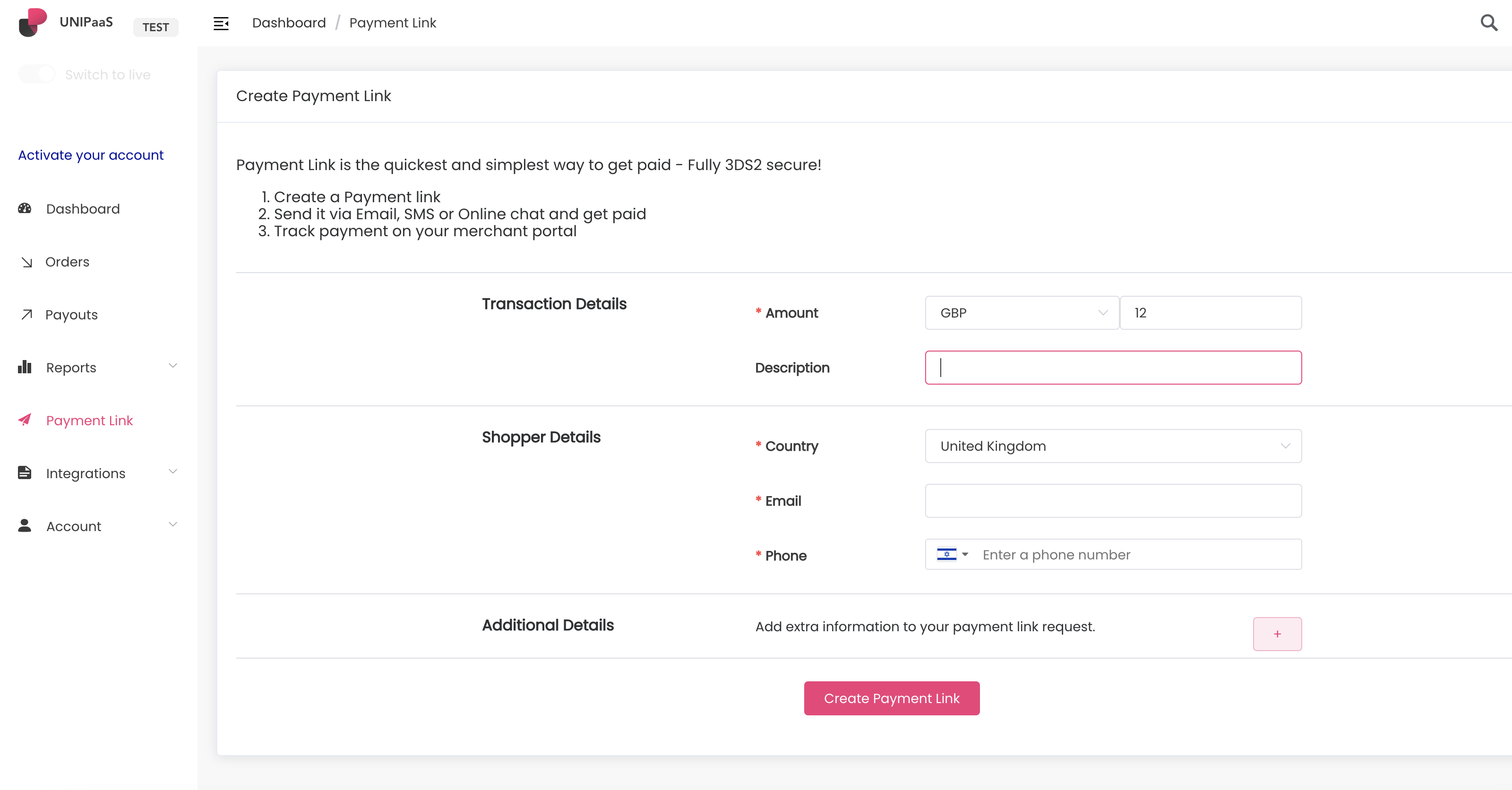
Section titled “Step 1: Login to your UNIPaaS merchant portal”On the side menu you will find the “Payment link” menu item.
Step 2: Fill the Payment link form
Section titled “Step 2: Fill the Payment link form”Add the transaction amount and currency, as well as your shopper details. You will also find additional settings, including an option to add an order id and product/service description.
Click “Create Payment Link” to generate
Step 3: Send your payment link to your buyer
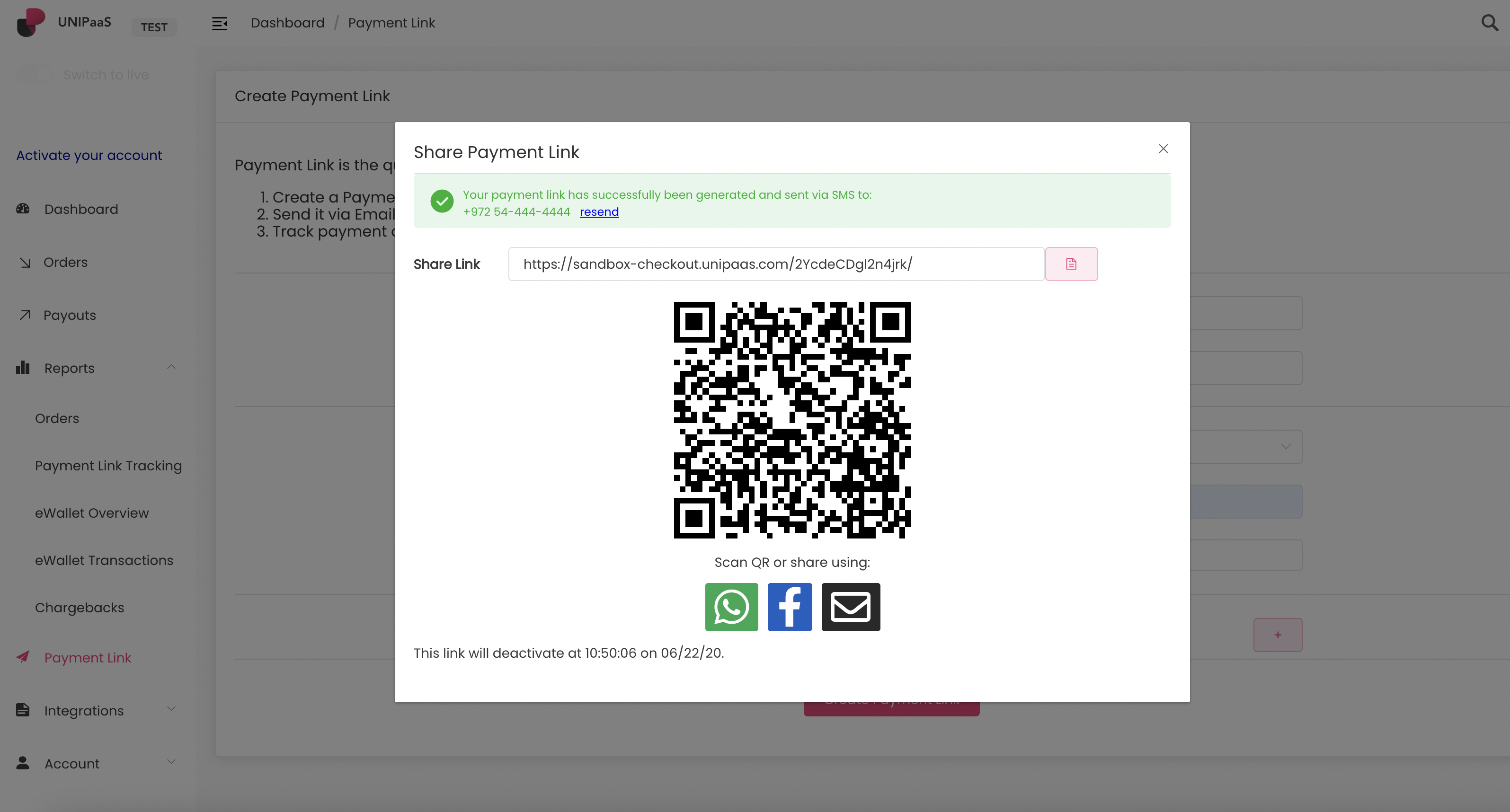
Section titled “Step 3: Send your payment link to your buyer”Share your payment link via email, SMS, or social media.
If you are at a physical sale point, such as a store - you can have your buyer scan the QR code using their phone camera.
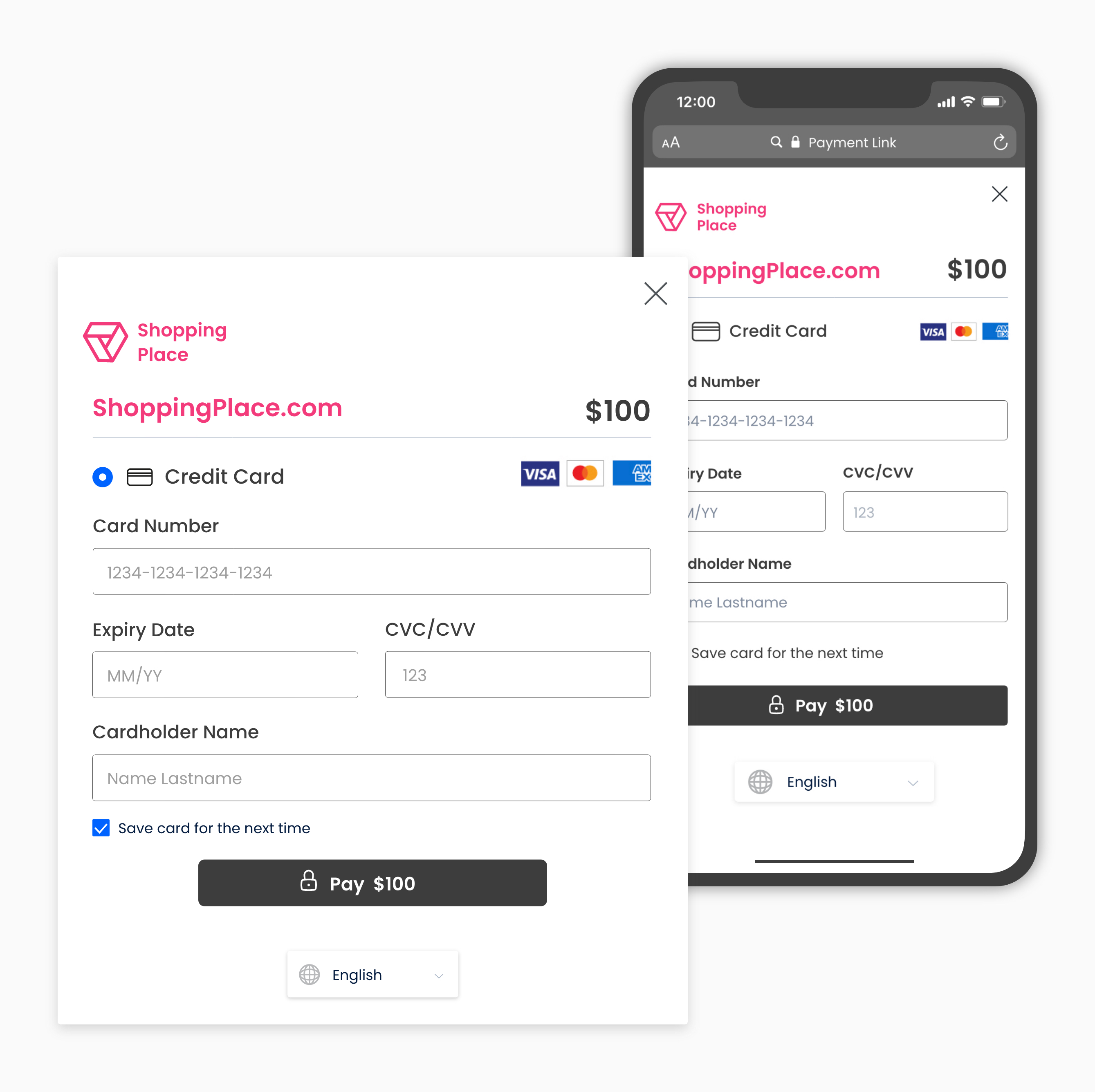
Your buyer receives the following:
Step 4: Track your payment link
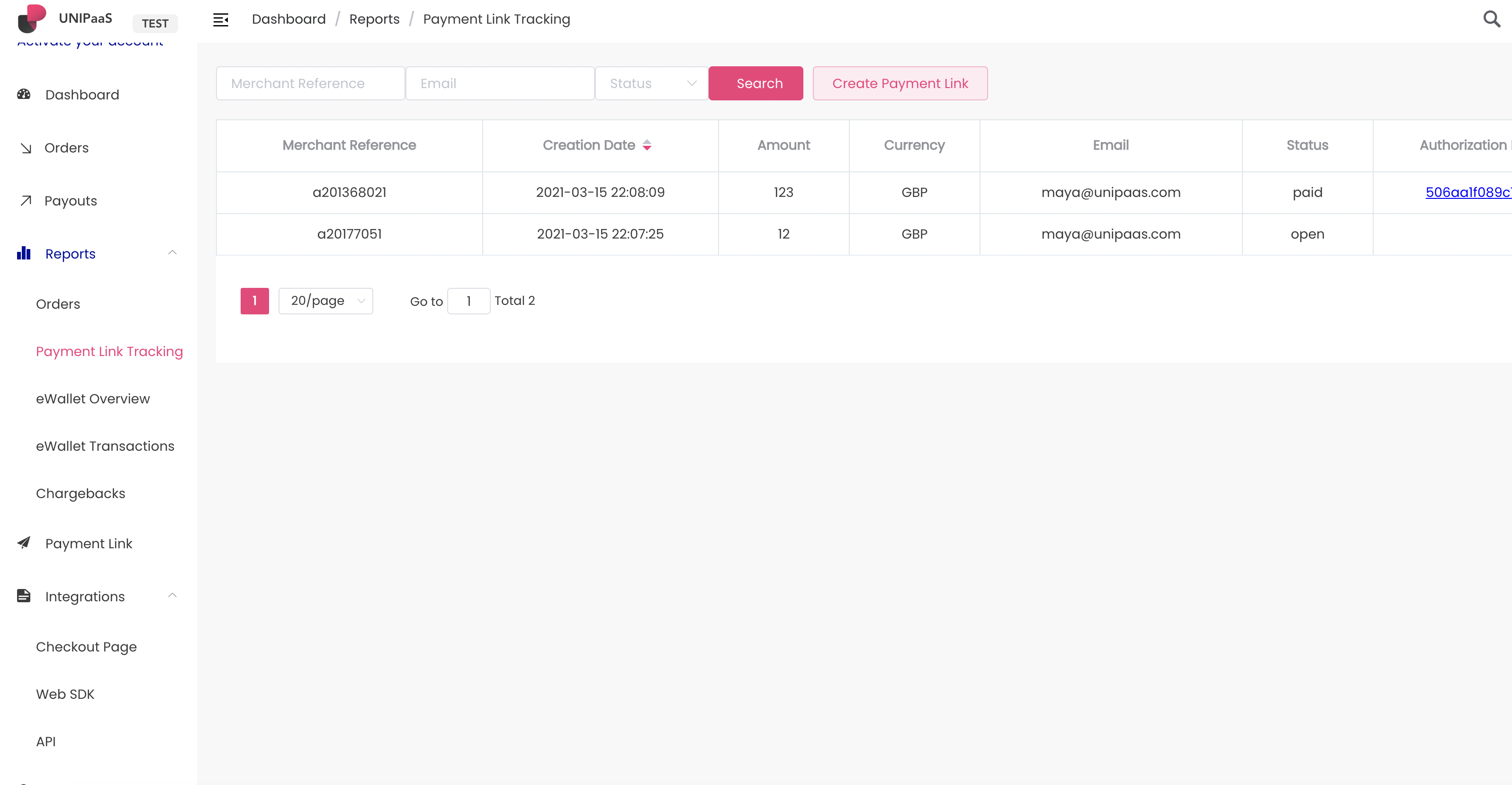
Section titled “Step 4: Track your payment link”Once a link gets generated and sent, you can track its progress and status in a designated report on your merchant portal.
Step 5: Test your integration
Section titled “Step 5: Test your integration”Use our test scenarios test your integration